
Configure Your Location Sharing
How to configure your GPS & Location Services
Welcome To Indian Well Valley (IWV) Mesh!
There are a lot of very cool things you can do with Mesh devices, but I am here to warn you about one today.
With the warning, I am also showing you how to protect yourself.
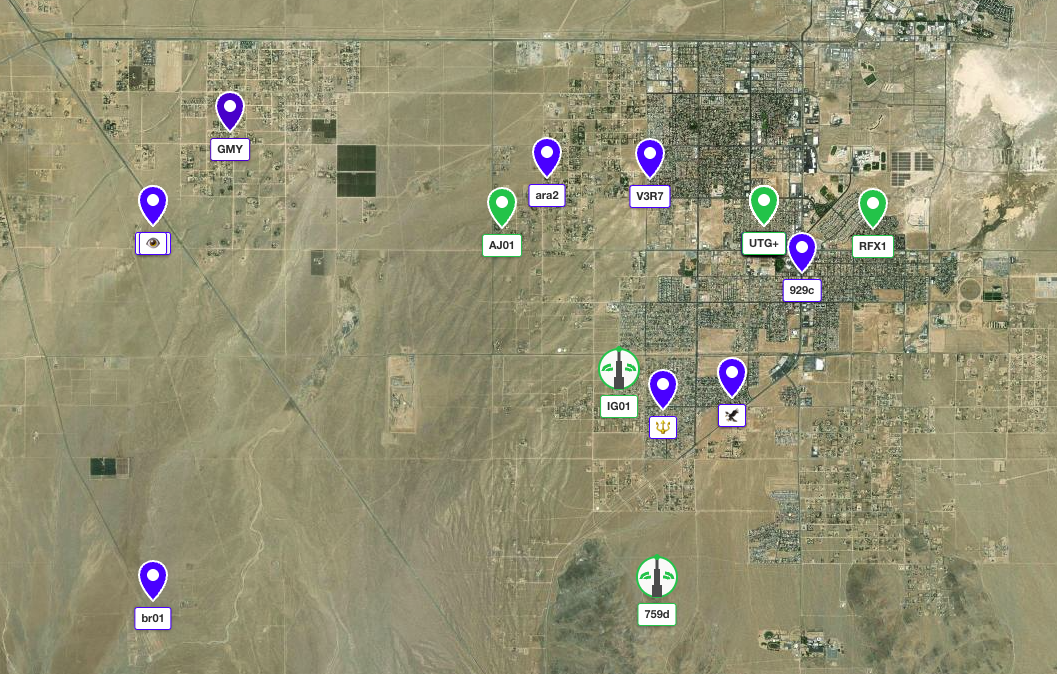
With Meshtasic or Meshcore, you have the ability to share you current location with the rest of the mesh.
You could be DOXing yourself!!!
Doxing refers to the act of publicly revealing private or personal information about an individual. This can include details like full names, addresses, phone numbers, email addresses, or any other sensitive information. (Like where you live or work).
To avoid doxing yourself, it’s essential to take proactive measures with location sharing, check out the steps below for Android and iOS!
On Android
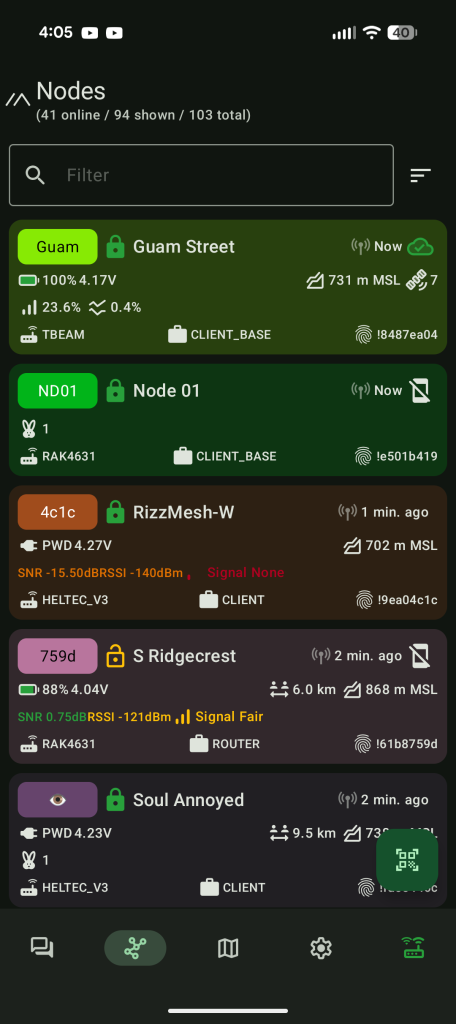
In The Meshtastic App, Click The Gear Icon
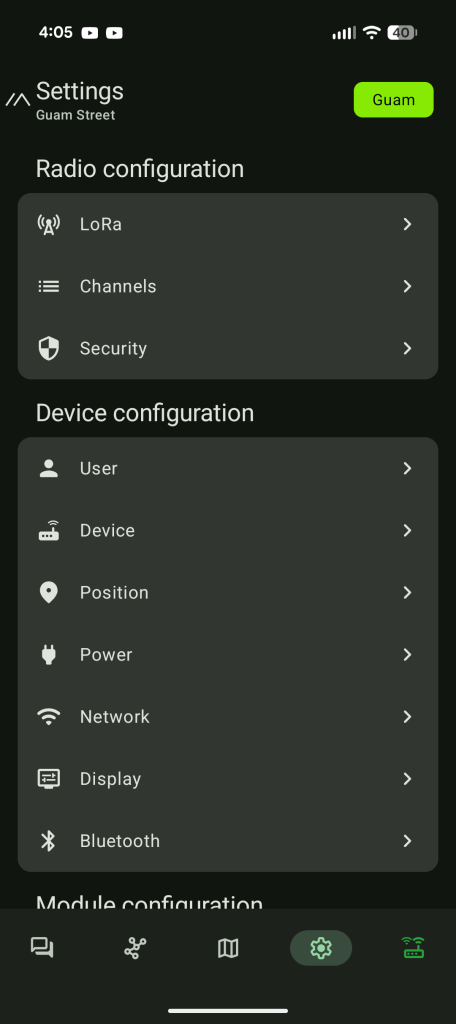
Gear Icon Is The Settings, Then Select Position
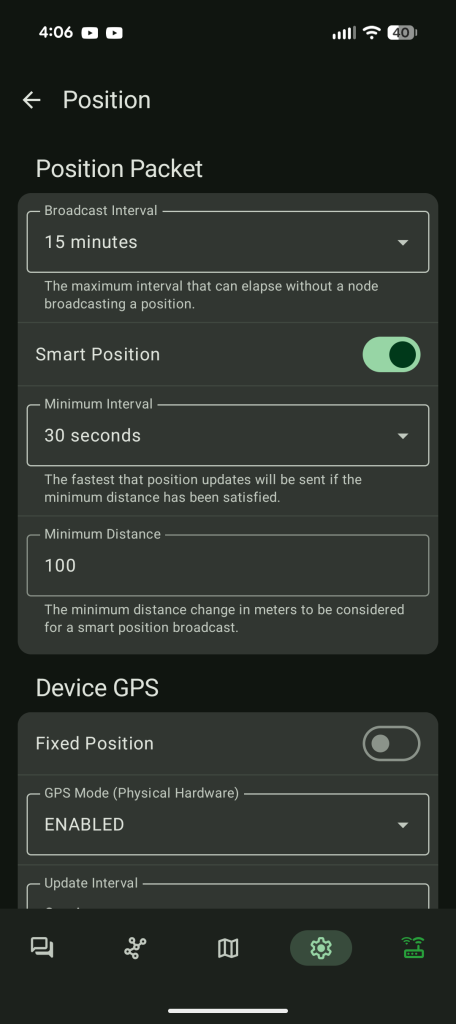
On The Smart Position, Toggle off to Turn Off GPS
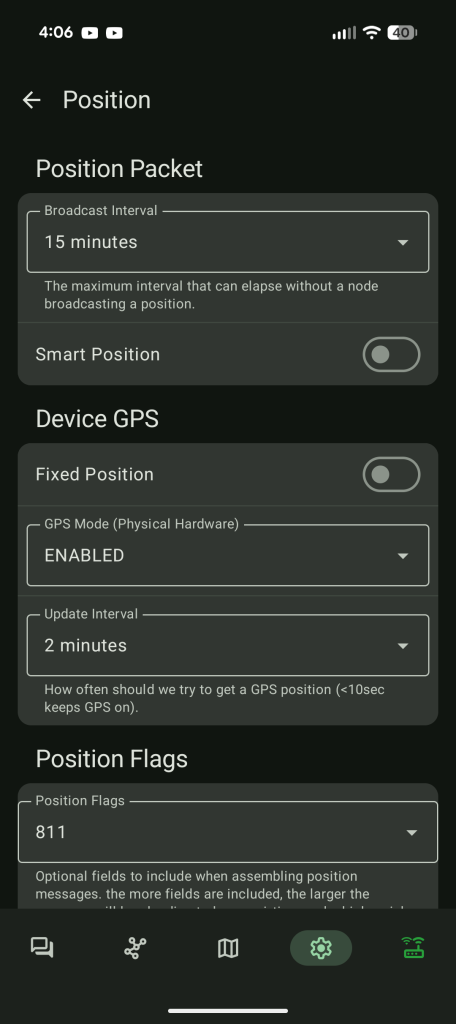
If Your Meshtastic Device Has A Built In GPS You Might Have To Turn It Off Under the “Device GPS”
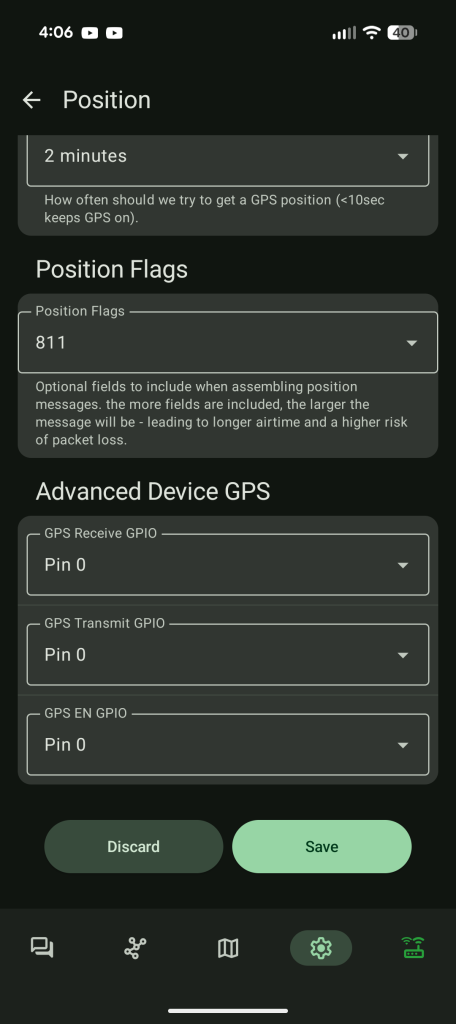
Scroll To The Bottom Of The Screen & Click Save.
On iOS
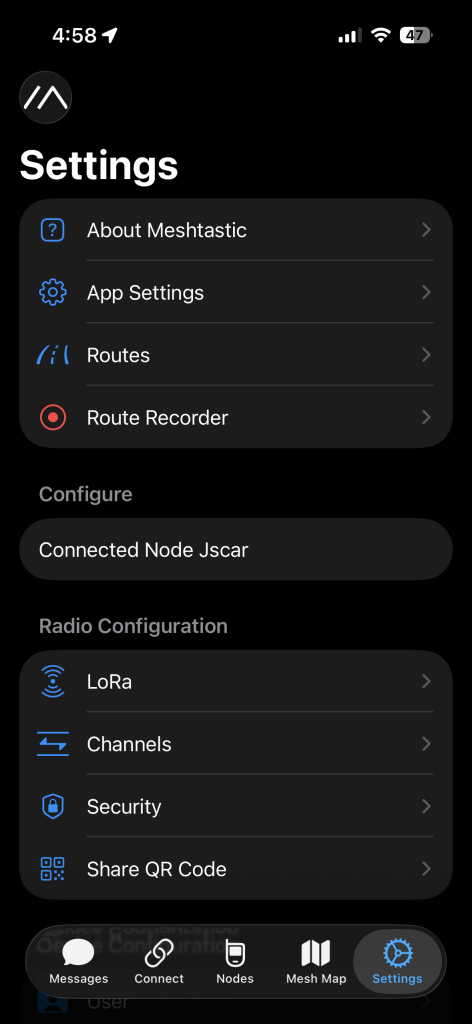
In The Meshtastic App, Click The Gear Icon
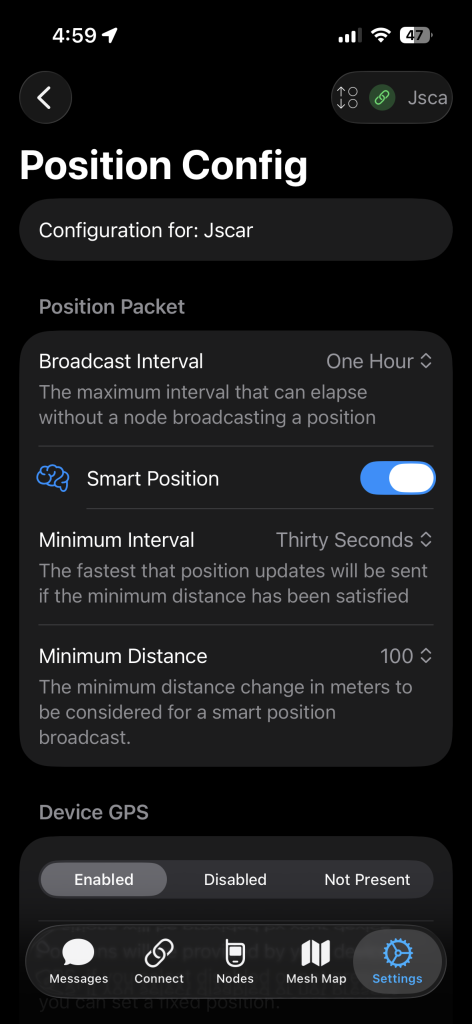
Gear Icon Is The Settings, Then Select Position
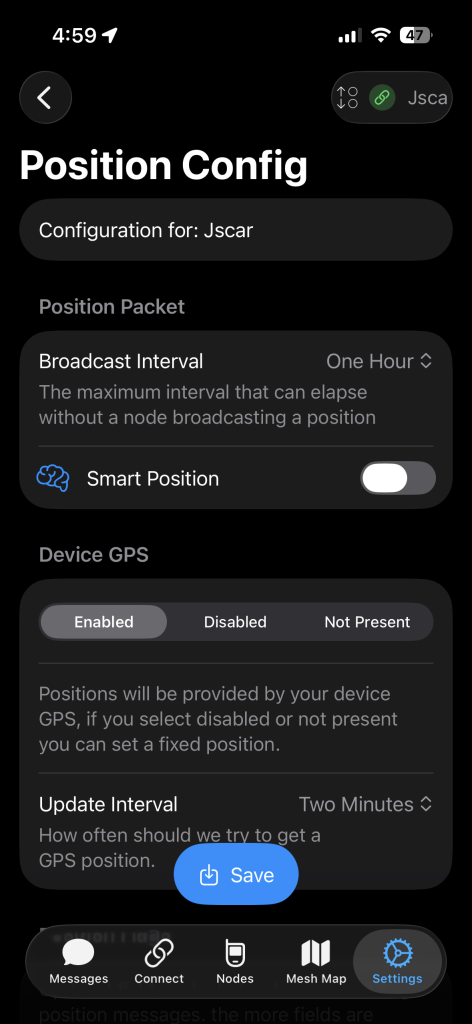
On The Smart Position, Toggle off to Turn Off GPS
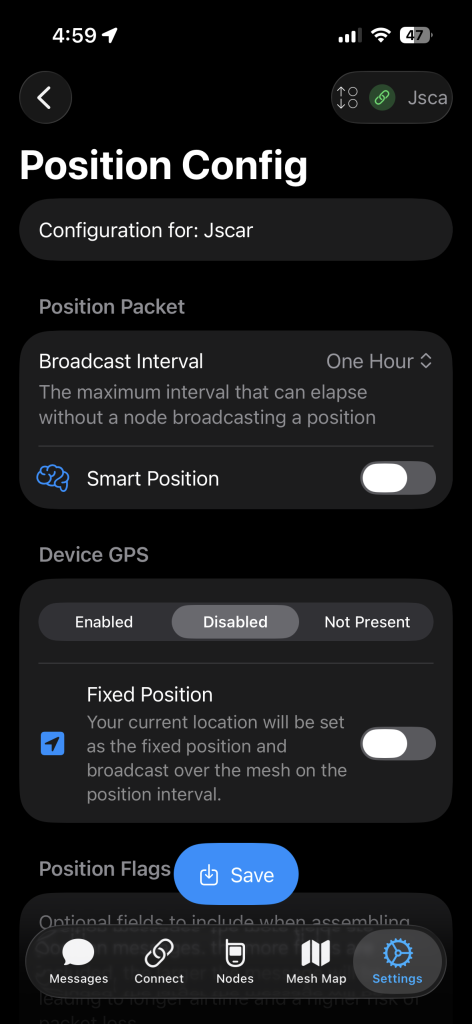
If Your Meshtastic Device Has A Built In GPS You Might Have To Turn It Off Under the “Device GPS”
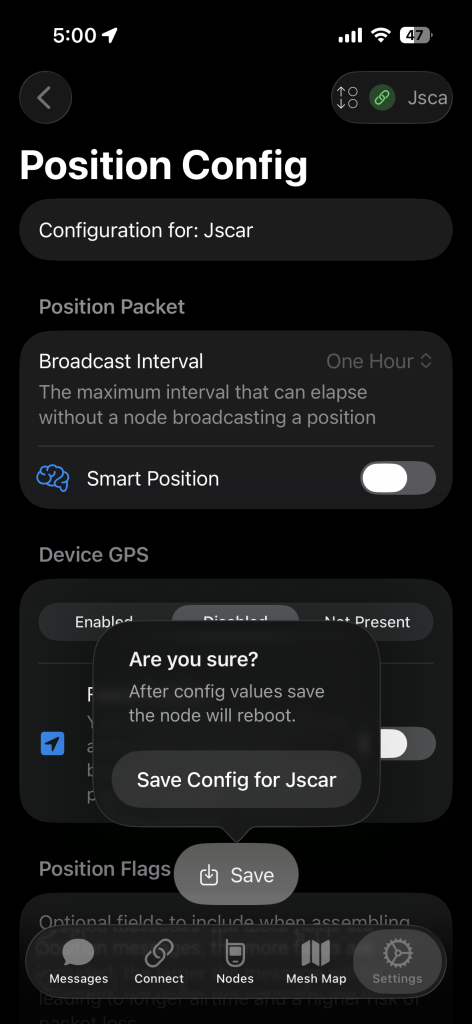
Scroll To The Bottom Of The Screen & Click Save.
To avoid doxing yourself using it’s essential to take proactive measures with location sharing!